Showcase image is missing
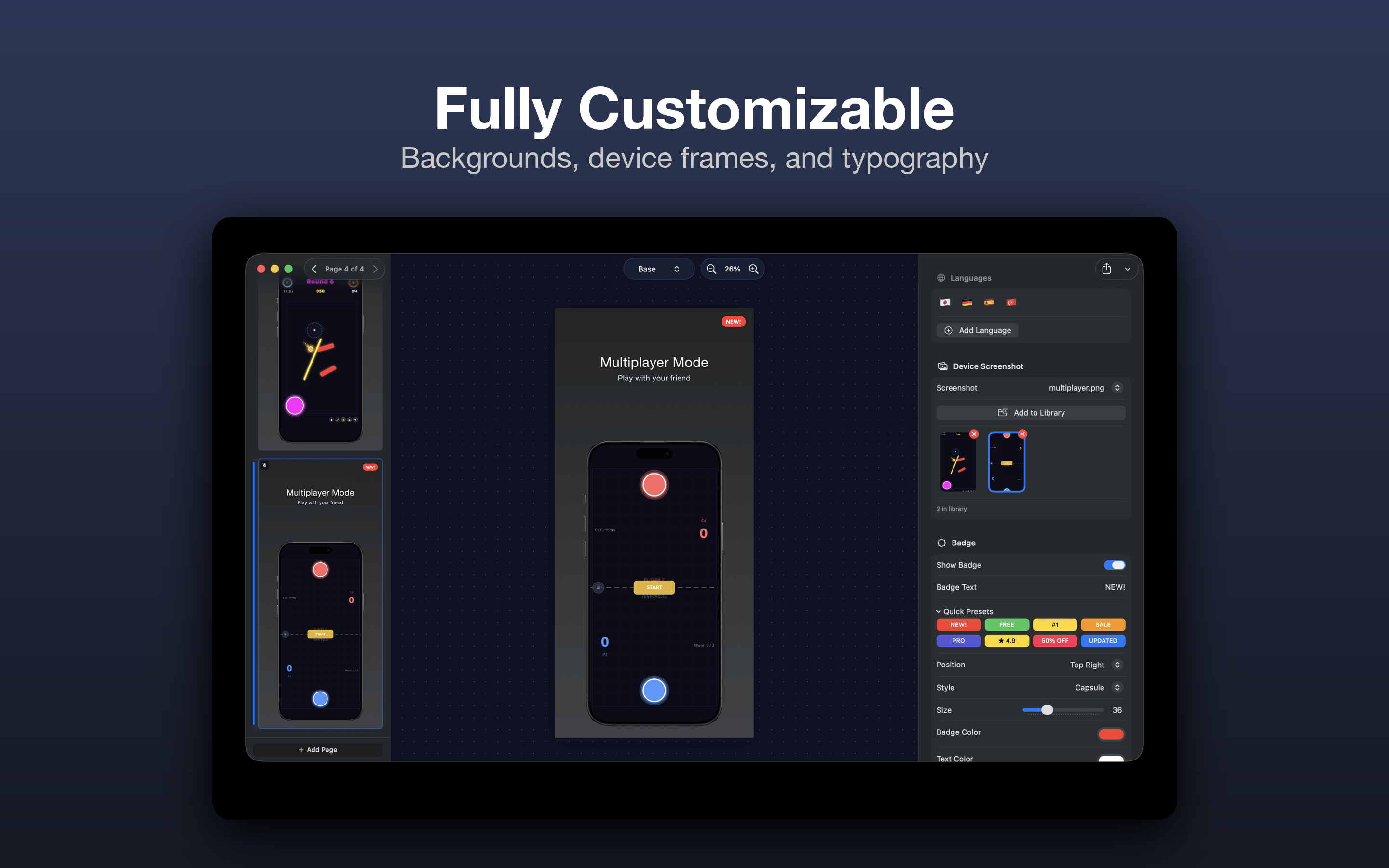
/images/fully-customizable.png AppShotKit is a native macOS app that turns your app screenshots into stunning, store-ready visuals — with device mockups, localization, and pixel-perfect export. No Figma. No Photoshop. No subscriptions.
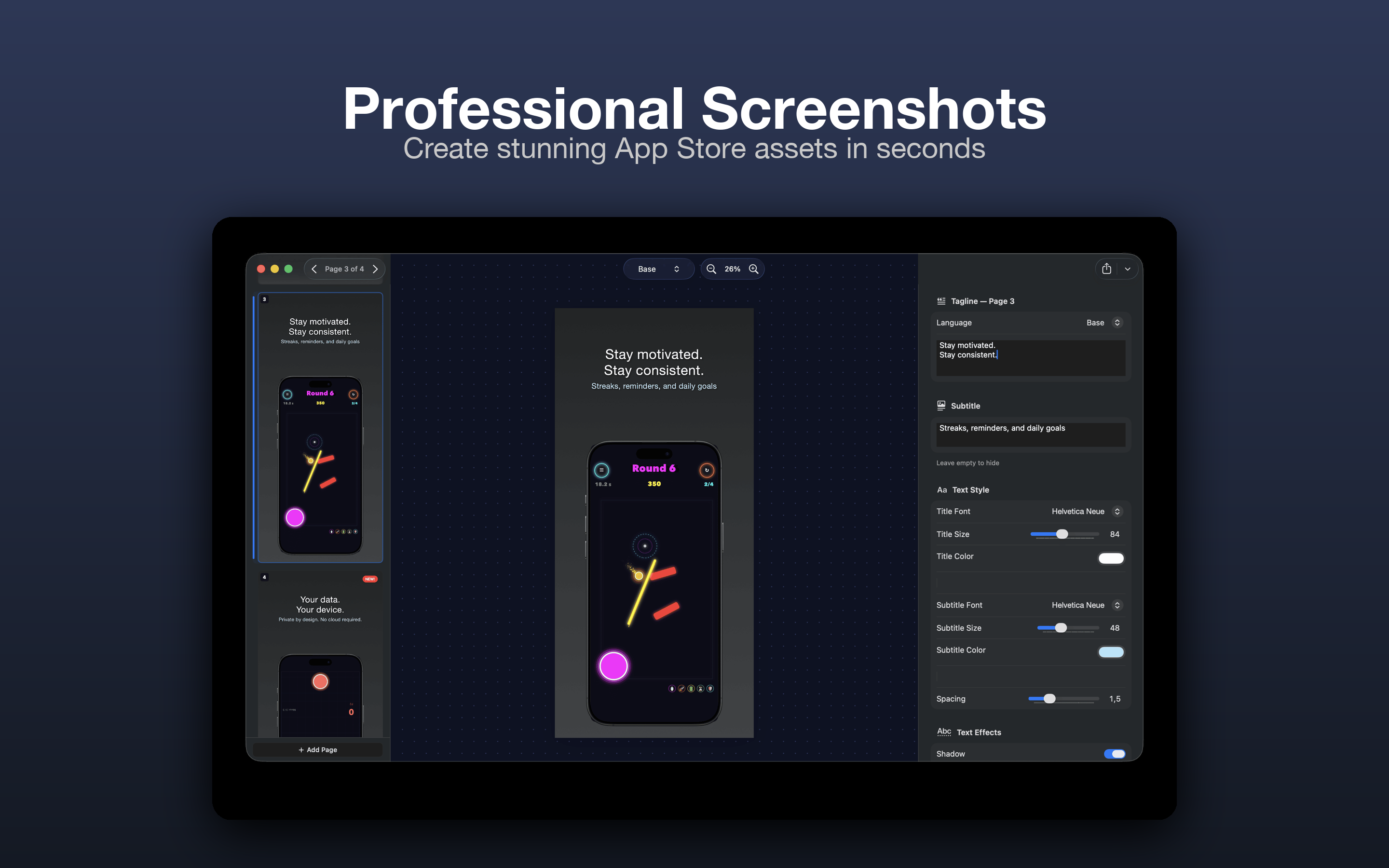
/images/professional-screenshots.png Your App Store screenshots are your storefront. They're the first thing users see — and the last thing most developers want to spend time on.
You shouldn't need to open Figma, watch a tutorial, or hire a designer just to put text on a screenshot.
One-click designs across 5 categories — Minimal, Bold, Elegant, Dark, and Colorful. Pick a starting point and customize everything.
iPhone and iPad frames that match Apple's latest hardware. Show your app the way users will actually see it.
Add languages, translate your taglines, and export every variation automatically. 3 pages × 5 languages = 15 screenshots in seconds.
iPhone 6.9", iPhone 6.5", iPad 13", iPad 12.9" — export every required size from a single design. No manual resizing.
NEW!, FREE, #1, SALE, 50% OFF — add attention-grabbing badges with preset styles or full customization.
Save your fonts, colors, and layout as a reusable brand kit. Apply your brand to any project with one click.
/images/fully-customizable.png 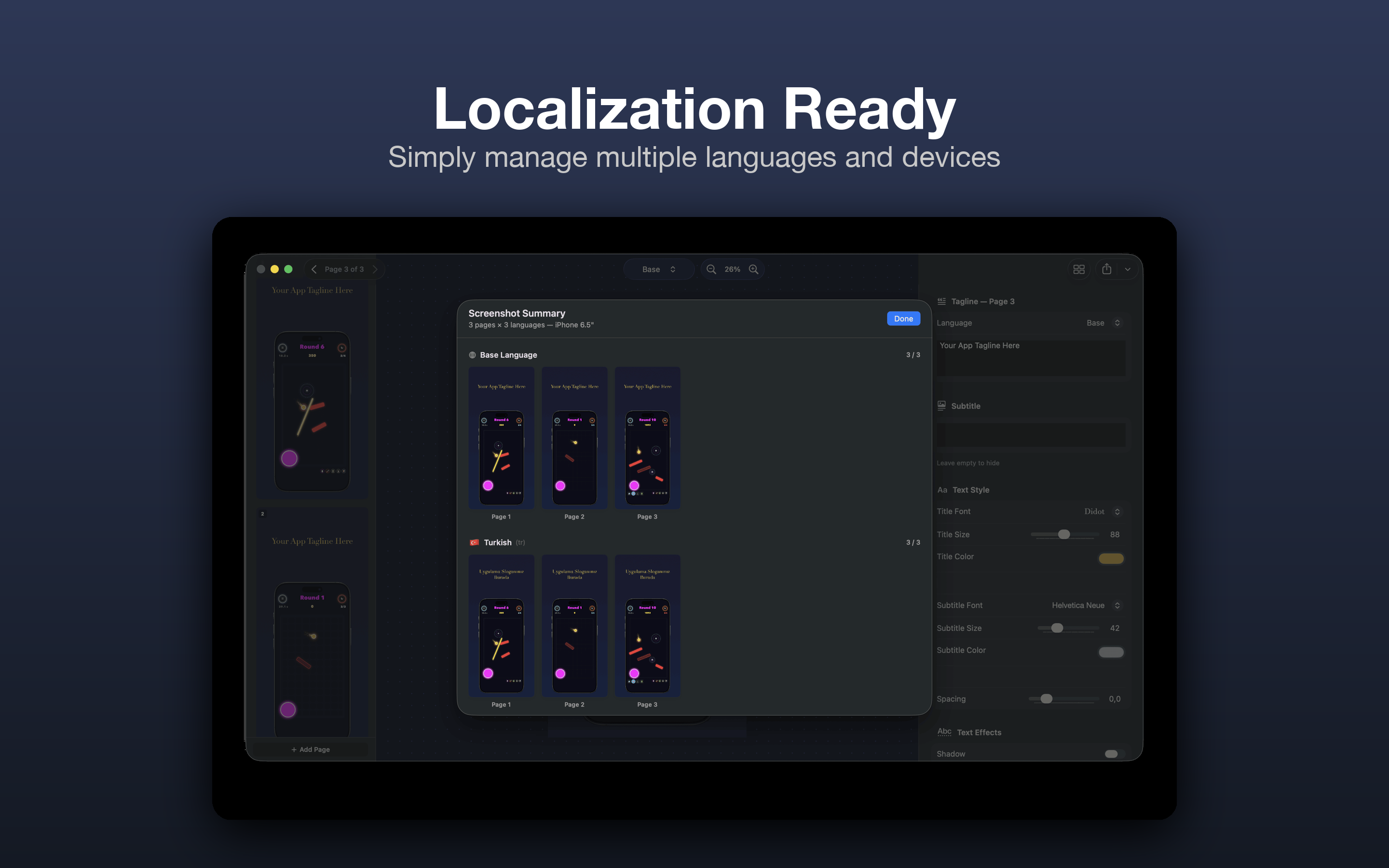
/images/localization-ready.png Import a screenshot from your app. Choose your device size and frame.
Write a tagline, pick a template, customize colors and fonts. See changes live on the canvas.
Export one page, all pages, or all pages × all devices. Localized versions included. Drag into App Store Connect.
Built with SwiftUI. Feels like Xcode, not a web app in a wrapper. Unified toolbar, keyboard shortcuts, dark mode.
Every change updates instantly. Zoom, scroll, and preview at any scale.
Shadows, outlines, letter spacing. Subtle polish that makes text readable on any background.
Solid colors, gradients, or your own images with blur and overlay controls.
Text above, text below, or text overlaid on a dimmed screenshot. Each works with every template.
Full undo history. Experiment without fear.
Your entire project saves as a single .appshot file — screenshots, settings, renders, everything.
Work in the appearance you prefer. Midnight, Dusk, Solarized, and more.
Drag dividers to customize your workspace. Sizes persist across sessions.
Forever free
Pay once, own it forever
No subscription. No recurring fees.
Yes. The free tier lets you create up to 3 screenshot pages with professional templates and export at iPhone 6.5" size. No watermarks, no time limits.
A one-time purchase that unlocks unlimited pages, all device sizes, all templates, multi-language export, badge overlays, text effects, brand kits, and project save/load.
Completely. AppShotKit is a native macOS app with zero cloud dependency. Your projects stay on your Mac.
macOS 14 (Sonoma) or later.
Yes. AppShotKit uses your system fonts — any font installed on your Mac is available in the font picker.
PNG at the exact pixel dimensions required by App Store Connect. No resizing needed.
Yes. Pro users can save projects as .appshot files that include all screenshots, settings, and rendered outputs.
Stop wrestling with design tools. Start shipping screenshots that convert.
Download AppShotKit for FreeAvailable on the Mac App Store. Requires macOS 14+.